Image
Fast SDXL (Edit)
Credit-based pricing. Supports reference images, batch up to 4.
Output
image
Aspect ratio
1:1, 16:9, 9:16, 4:3, 3:4, Custom
Resolution
1024
Max batch
4
Inputs
- Reference image (required)
- Batch up to 4 per request
Example prompt
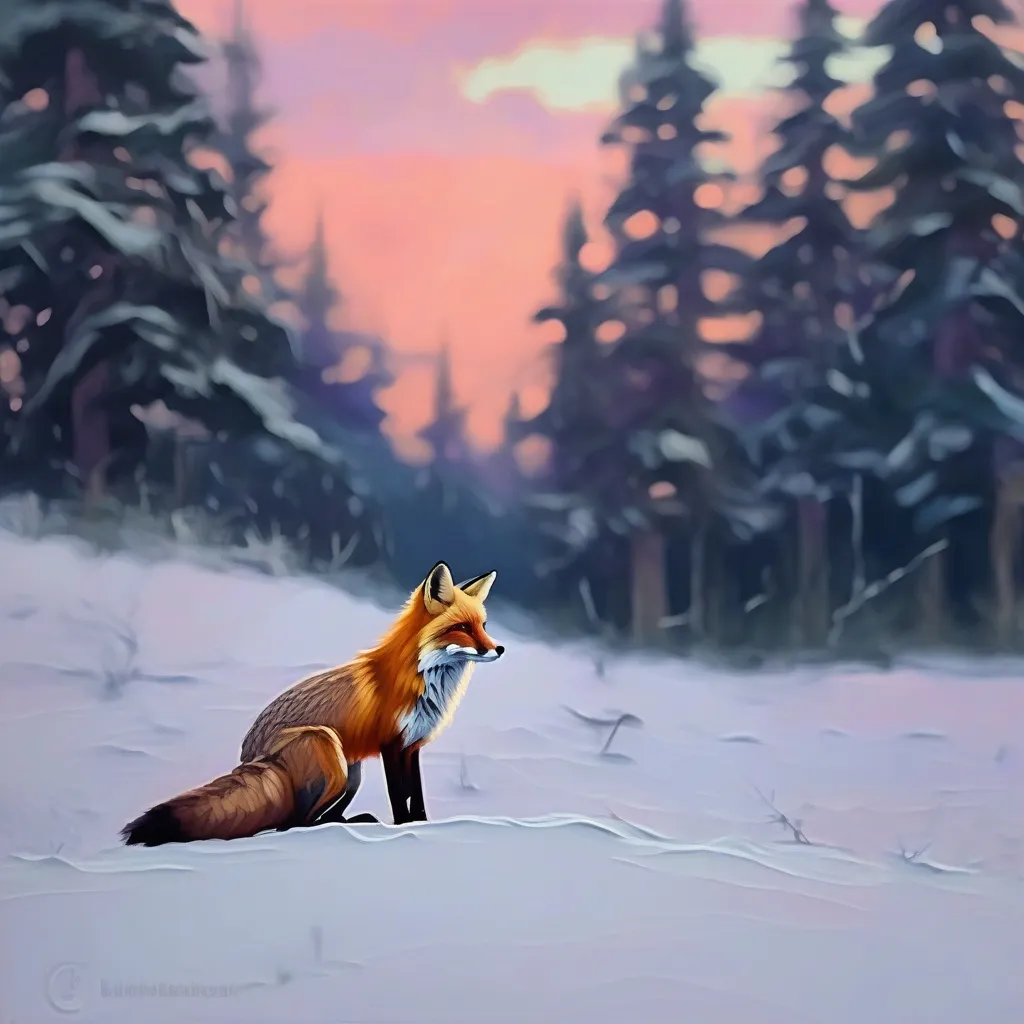
A lone red fox sitting in a snowy forest clearing at dusk, pine trees dusted with snow, soft pink and purple sky, vibrant oil painting style, thick impressionist brushstrokes, rich texture, warm palette, artistic masterpieceTry this prompt →
LLM-ready
API & LLM schema
Exact request contract for this model. Agents can fetch it from /api/v1/models?id=fal-ai/fast-sdxl/image-to-image.
POST
/api/v1/generate35 fields · 3 required| Field | Type | Requirement | Contract |
|---|---|---|---|
model_id | constant | Required | ArtEmotion model identifier. |
extra | object | Optional | Model-specific settings may also be nested here. |
max_credits | number | Optional | Reject before submission if the estimated list price exceeds this cap. · Range: 1–… |
webhook_url | string | Optional | Format: uri |
webhook_secret | string | Optional | Optional model input. |
folder_id | string | Optional | Optional model input. |
prompt | string | Required | Optional model input. |
seed | integer | Optional | The same seed and the same prompt given to the same version of Stable Diffusion will output the same image every time. |
num_inference_steps | number | Optional | The number of inference steps to perform. · Default: 25 · Range: 1–65 |
crop_output | boolean | Optional | If set to true, the output cropped to the proper aspect ratio after generating. · Default: false |
negative_prompt | string | Optional | The negative prompt to use.Use it to address details that you don't want in the image. This could be colors, objects, scenery and even the small detai · Default: |
expand_prompt | boolean | Optional | If set to true, the prompt will be expanded with additional prompts. · Default: false |
format | string | Optional | The format of the generated image. · Allowed: jpeg, png · Default: jpeg |
strength | number | Optional | determines how much the generated image resembles the initial image · Default: 0.95 · Range: 0.05–1 |
guidance_scale | number | Optional | The CFG (Classifier Free Guidance) scale is a measure of how close you want the model to stick to your prompt when looking for a related image to show · Default: 7.5 · Range: 0–20 |
safety_checker_version | string | Optional | The version of the safety checker to use. v1 is the default CompVis safety checker. v2 uses a custom ViT model. · Allowed: v1, v2 · Default: v1 |
preserve_aspect_ratio | boolean | Optional | If set to true, the aspect ratio of the generated image will be preserved even if the image size is too large. However, if the image is not a multiple · Default: false |
enable_safety_checker | boolean | Optional | If set to true, the safety checker will be enabled. · Default: true |
lora_path | string | Optional | URL or Hugging Face path to LoRA weights (e.g. username/repo or https://…). |
lora_scale | number | Optional | Strength of the LoRA effect. 1 = default weight. · Default: 1 · Range: 0–1 |
lora_path_2 | string | Optional | URL or Hugging Face path to a second set of LoRA weights. |
lora_scale_2 | number | Optional | Strength of the second LoRA. · Default: 1 · Range: 0–1 |
lora_path_3 | string | Optional | URL or Hugging Face path to a third set of LoRA weights. |
lora_scale_3 | number | Optional | Strength of the third LoRA. · Default: 1 · Range: 0–1 |
embedding_path | string | Optional | URL or Hugging Face path to textual-inversion embedding weights. |
embedding_tokens | array<string> | Optional | Tokens that trigger the embedding when used in your prompt. |
embedding_path_2 | string | Optional | URL or Hugging Face path to a second embedding. |
embedding_tokens_2 | array<string> | Optional | Tokens for the second embedding. |
embedding_path_3 | string | Optional | URL or Hugging Face path to a third embedding. |
embedding_tokens_3 | array<string> | Optional | Tokens for the third embedding. |
aspect_ratio | string | Optional | Allowed: 1:1, 16:9, 9:16, 4:3, 3:4, Custom |
resolution | string | Optional | Allowed: 1024 |
output_format | string | Optional | Allowed: png, jpeg |
num_images | integer | Optional | Range: 1–4 |
reference_image_url | string | Required | Format: uri |
Minimal request example
{
  "model_id": "fal-ai/fast-sdxl/image-to-image",
  "prompt": "A lone red fox sitting in a snowy forest clearing at dusk, pine trees dusted with snow, soft pink and purple sky, vibrant oil painting style, thick impressionist brushstrokes, rich texture, warm palette, artistic masterpiece",
  "reference_image_url": "https://example.com/reference_image"
}
Raw JSON Schema
{
  "$schema": "https://json-schema.org/draft/2020-12/schema",
  "$id": "https://www.artemotion.ai/api/v1/models?id=fal-ai%2Ffast-sdxl%2Fimage-to-image",
  "title": "Fast SDXL (Edit) generation request",
  "description": "Request body accepted by POST /api/v1/generate for fal-ai/fast-sdxl/image-to-image.",
  "type": "object",
  "properties": {
    "model_id": {
      "type": "string",
      "const": "fal-ai/fast-sdxl/image-to-image",
      "description": "ArtEmotion model identifier."
    },
    "extra": {
      "type": "object",
      "additionalProperties": true,
      "description": "Model-specific settings may also be nested here."
    },
    "max_credits": {
      "type": "number",
      "minimum": 1,
      "description": "Reject before submission if the estimated list price exceeds this cap."
    },
    "webhook_url": {
      "type": "string",
      "format": "uri",
      "maxLength": 2048
    },
    "webhook_secret": {
      "type": "string",
      "maxLength": 512
    },
    "folder_id": {
      "type": "string"
    },
    "prompt": {
      "type": "string"
    },
    "seed": {
      "title": "Seed",
      "description": "The same seed and the same prompt given to the same version of Stable Diffusion will output the same image every time.",
      "type": "integer"
    },
    "num_inference_steps": {
      "title": "Num Inference Steps",
      "description": "The number of inference steps to perform.",
      "default": 25,
      "type": "number",
      "minimum": 1,
      "maximum": 65,
      "multipleOf": 1
    },
    "crop_output": {
      "title": "Crop Output",
      "description": "If set to true, the output cropped to the proper aspect ratio after generating.",
      "default": false,
      "type": "boolean"
    },
    "negative_prompt": {
      "title": "Negative Prompt",
      "description": "The negative prompt to use.Use it to address details that you don't want in the image. This could be colors, objects, scenery and even the small detai",
      "default": "",
      "type": "string"
    },
    "expand_prompt": {
      "title": "Expand Prompt",
      "description": "If set to true, the prompt will be expanded with additional prompts.",
      "default": false,
      "type": "boolean"
    },
    "format": {
      "title": "Format",
      "description": "The format of the generated image.",
      "default": "jpeg",
      "type": "string",
      "enum": [
        "jpeg",
        "png"
      ]
    },
    "strength": {
      "title": "Strength",
      "description": "determines how much the generated image resembles the initial image",
      "default": 0.95,
      "type": "number",
      "minimum": 0.05,
      "maximum": 1
    },
    "guidance_scale": {
      "title": "Guidance Scale",
      "description": "The CFG (Classifier Free Guidance) scale is a measure of how close you want the model to stick to your prompt when looking for a related image to show",
      "default": 7.5,
      "type": "number",
      "minimum": 0,
      "maximum": 20
    },
    "safety_checker_version": {
      "title": "Safety Checker Version",
      "description": "The version of the safety checker to use. v1 is the default CompVis safety checker. v2 uses a custom ViT model.",
      "default": "v1",
      "type": "string",
      "enum": [
        "v1",
        "v2"
      ]
    },
    "preserve_aspect_ratio": {
      "title": "Preserve Aspect Ratio",
      "description": "If set to true, the aspect ratio of the generated image will be preserved even if the image size is too large. However, if the image is not a multiple",
      "default": false,
      "type": "boolean"
    },
    "enable_safety_checker": {
      "title": "Enable Safety Checker",
      "description": "If set to true, the safety checker will be enabled.",
      "default": true,
      "type": "boolean"
    },
    "lora_path": {
      "title": "LoRA Path",
      "description": "URL or Hugging Face path to LoRA weights (e.g. username/repo or https://…).",
      "type": "string"
    },
    "lora_scale": {
      "title": "LoRA Scale",
      "description": "Strength of the LoRA effect. 1 = default weight.",
      "default": 1,
      "type": "number",
      "minimum": 0,
      "maximum": 1
    },
    "lora_path_2": {
      "title": "LoRA Path 2",
      "description": "URL or Hugging Face path to a second set of LoRA weights.",
      "type": "string"
    },
    "lora_scale_2": {
      "title": "LoRA Scale 2",
      "description": "Strength of the second LoRA.",
      "default": 1,
      "type": "number",
      "minimum": 0,
      "maximum": 1
    },
    "lora_path_3": {
      "title": "LoRA Path 3",
      "description": "URL or Hugging Face path to a third set of LoRA weights.",
      "type": "string"
    },
    "lora_scale_3": {
      "title": "LoRA Scale 3",
      "description": "Strength of the third LoRA.",
      "default": 1,
      "type": "number",
      "minimum": 0,
      "maximum": 1
    },
    "embedding_path": {
      "title": "Embedding Path",
      "description": "URL or Hugging Face path to textual-inversion embedding weights.",
      "type": "string"
    },
    "embedding_tokens": {
      "title": "Embedding Tokens",
      "description": "Tokens that trigger the embedding when used in your prompt.",
      "type": "array",
      "items": {
        "type": "string"
      }
    },
    "embedding_path_2": {
      "title": "Embedding Path 2",
      "description": "URL or Hugging Face path to a second embedding.",
      "type": "string"
    },
    "embedding_tokens_2": {
      "title": "Embedding Tokens 2",
      "description": "Tokens for the second embedding.",
      "type": "array",
      "items": {
        "type": "string"
      }
    },
    "embedding_path_3": {
      "title": "Embedding Path 3",
      "description": "URL or Hugging Face path to a third embedding.",
      "type": "string"
    },
    "embedding_tokens_3": {
      "title": "Embedding Tokens 3",
      "description": "Tokens for the third embedding.",
      "type": "array",
      "items": {
        "type": "string"
      }
    },
    "aspect_ratio": {
      "type": "string",
      "enum": [
        "1:1",
        "16:9",
        "9:16",
        "4:3",
        "3:4",
        "Custom"
      ]
    },
    "resolution": {
      "type": "string",
      "enum": [
        "1024"
      ]
    },
    "output_format": {
      "type": "string",
      "enum": [
        "png",
        "jpeg"
      ]
    },
    "num_images": {
      "type": "integer",
      "minimum": 1,
      "maximum": 4
    },
    "reference_image_url": {
      "type": "string",
      "format": "uri"
    }
  },
  "required": [
    "model_id",
    "prompt",
    "reference_image_url"
  ],
  "additionalProperties": false
}FAQ
How much does Fast SDXL (Edit) cost on ArtEmotion?
Credit-based pricing. You pay in ArtEmotion credits — every plan and top-up converts USD to credits at a fixed rate.
Do I get my credits back if Fast SDXL (Edit) fails?
Yes — failed generations are never charged. The credits are released back to your balance automatically.
Can I call Fast SDXL (Edit) from the API?
Yes. Use POST /api/v1/generate with model_id: "fal-ai/fast-sdxl/image-to-image". See the API reference for the full schema.
Where are my generations stored?
Every output is saved to your personal Library. You can export or delete everything any time from Privacy & deletion.
Ready to generate with Fast SDXL (Edit)?
Start now →No commitment. New accounts get 50 free credits on signup. See pricing.